Website speed isn’t just a nice-to-have anymore—it directly affects your search rankings, how long people stick around, and ultimately your revenue. Google cares a lot about user experience these days, so getting your Core Web Vitals (CWV) right is a must for any WordPress site owner or developer who’s serious about results. Doesn’t matter if you’re running an online store, a company blog, or a personal site—nailing these metrics pays off with better rankings and more conversions over time.
In this guide, we’ll break down Core Web Vitals, look at real performance issues based on actual search results research, and give you practical, tested strategies to speed up your WordPress site and boost your search performance.
Understanding the Core Web Vitals Triad in 2026
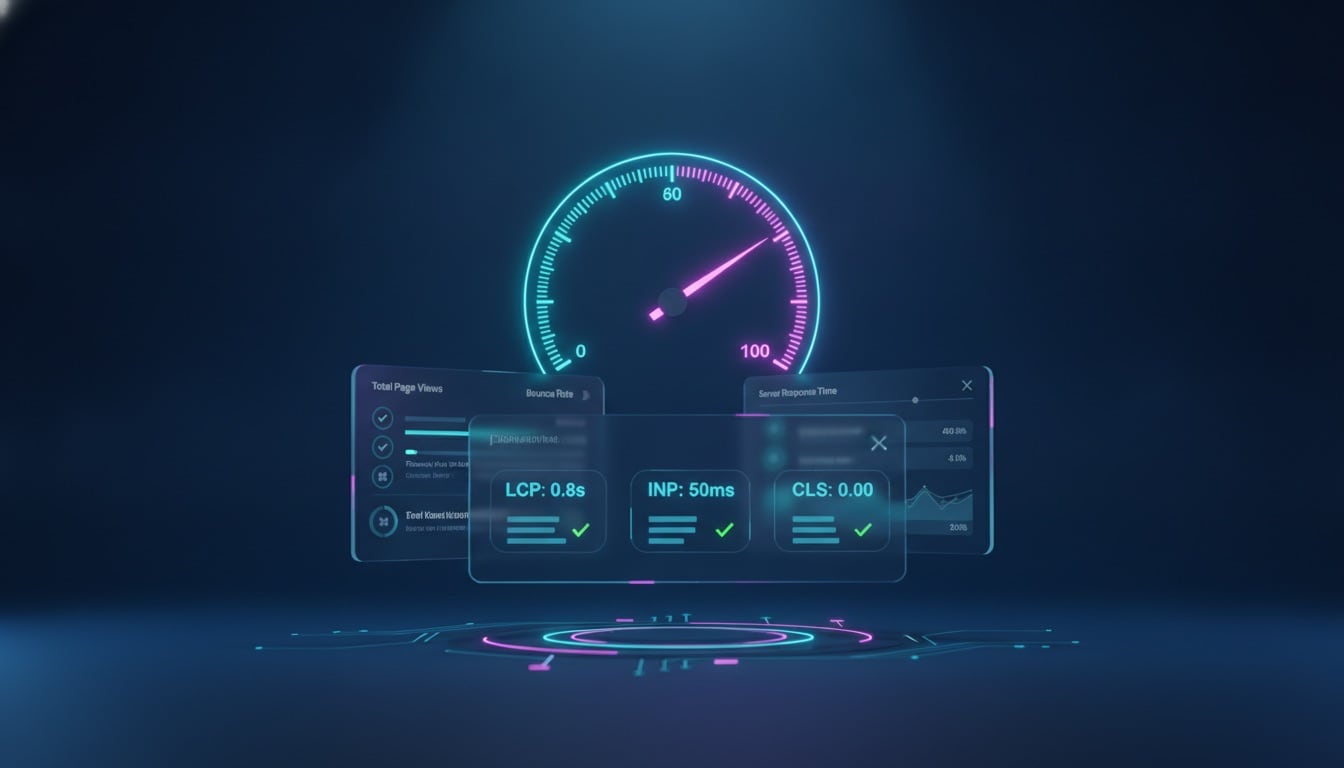
Google evaluates user experience across three core pillars: loading performance, interactivity responsiveness, and visual stability. To achieve a “Good” rating, your site must hit the target thresholds on at least 75% of real-world user pageviews (measured via the Chrome User Experience Report, or CrUX):
| Metric | Focus Area | Target (Good) | Poor Threshold |
|---|---|---|---|
| Largest Contentful Paint (LCP) | Loading Speed | ≤ 2.5 seconds | > 4.0 seconds |
| Interaction to Next Paint (INP) | Interactivity & Responsiveness | ≤ 200 milliseconds | > 500 milliseconds |
| Cumulative Layout Shift (CLS) | Visual Stability | ≤ 0.1 | > 0.25 |

What is Largest Contentful Paint (LCP)?
Largest Contentful Paint measures how long it takes for the largest visual content element on the screen—typically a hero image, banner graphic, or major heading block—to become fully rendered. A slow LCP directly contributes to high bounce rates, as visitors perceive the page as unresponsive.
Key Strategies to Accelerate LCP
- Slash Time to First Byte (TTFB): Your server must deliver the initial HTML payload in under 800ms (ideally < 300ms). Leverage server-level caching (Redis object caching, FastCGI, or NGINX microcaching) and deploy full-page edge caching via a global Content Delivery Network (CDN) such as Cloudflare or QUIC.cloud.
- Prioritize and Preload the LCP Hero Asset: Ensure your hero image is preloaded in the document
<head>usingrel="preload"andfetchpriority="high". Simultaneously, disable lazy loading on the above-the-fold hero image—lazy loading the LCP element is one of the most common mistakes in WordPress development. - Adopt Next-Gen Formats (WebP & AVIF): Convert high-resolution PNGs and JPEGs into compressed AVIF or WebP files, often cutting payload sizes by 40% to 70% without perceptual quality loss.
- Inline Critical CSS & Defer Non-Essential Styles: Extract critical above-the-fold CSS so the browser can construct the render tree instantly without waiting for massive monolithic theme stylesheets.

2. Mastering Interaction to Next Paint (INP)
Interaction to Next Paint (INP) tracks website responsiveness across all user clicks, taps, and keyboard inputs throughout the entire page lifecycle. Unlike its predecessor FID (First Input Delay), which only gauged initial touch, INP measures the overall latency until the browser renders the resulting visual frame.
Actionable INP Optimizations for WordPress
- Break Up Long JavaScript Tasks: Any JavaScript execution that monopolizes the main thread for more than 50 milliseconds causes noticeable UI freezes. Split complex routines using
setTimeout(),requestIdleCallback(), or modernscheduler.yield()APIs. - Audit and Trim Heavy Plugins: Bulky tracking scripts, live chat widgets, mega menus, and slider plugins are prime culprits for high INP. Defer third-party tags using Google Tag Manager and unload unused scripts on pages where they are not required.
- Delay Non-Critical JavaScript: Configure script delaying for auxiliary analytics, social sharing widgets, and advertising scripts so that user interactions receive immediate main thread priority.
- Optimize DOM Size: Excessive DOM complexity (thousands of nested elements) increases layout calculation overhead upon user input. Keep DOM tree depth shallow by utilizing lightweight block structures.

3. Eliminating Cumulative Layout Shift (CLS)
Nothing frustrates a visitor faster than reading a paragraph or reaching for a button only to have the layout jump abruptly as late-loading elements render. Cumulative Layout Shift measures all unexpected layout movements, scoring visual stability from 0 to 1.
Proven Tactics to Guarantee Visual Stability
- Always Declare Explicit Width and Height Attributes: Ensure every image, video, SVG, and iframe element in your templates has explicit dimensions or CSS
aspect-ratiovalues defined so the browser reserves the exact layout box during initial reflow. - Reserve Space for Dynamic Elements and Ads: If displaying banner ads, cookie consent notices, or dynamic widgets, pre-allocate their container space with
min-heightCSS rules to prevent surrounding content from shifting when scripts execute. - Prevent Font Swapping Shifts (FOIT/FOUT): Self-host fonts locally and utilize
font-display: swappaired with size-adjust and fallback font metric matching tools to minimize layout reflow when custom typefaces load. - Avoid Inserting Content Above Existing DOM Elements: Ensure notifications, banners, and alert bars slide in with CSS transitions or fixed overlays rather than forcefully pushing page content downward.
Modern WordPress Architecture: Full-Site Editing & Clean Code
The modern WordPress ecosystem has evolved dramatically. The shift toward Full-Site Editing (FSE) and lightweight block themes (like Twenty Twenty-Five) represents a major performance milestone. Block themes only load the CSS and assets needed for the specific blocks present on a given page, eliminating the megabytes of redundant CSS that plagued legacy page builders.
“Speed is not an afterthought or a plugin setting—it is an architectural choice. Modern block themes combined with efficient server caching provide the cleanest foundation for sustained Core Web Vitals excellence.”
The Core Web Vitals Action Checklist
Use this concise checklist to systematically evaluate and optimize your WordPress website today:
- Benchmark current field data using Google PageSpeed Insights and Google Search Console’s Core Web Vitals report.
- Ensure high-performance hosting with NVMe storage, modern PHP (8.2+), and native HTTP/2 or HTTP/3 support.
- Implement server-side page caching and Redis object caching.
- Preload critical hero images and define explicit width/height dimensions across all media.
- Adopt WebP/AVIF automated image generation with responsive
srcsetattributes. - Minimize, combine, and defer JavaScript files to free up the browser main thread.
- Audit third-party scripts and remove redundant or unoptimized plugins.
Conclusion
Optimizing Core Web Vitals is an ongoing discipline that delivers tangible business benefits: higher organic search visibility, lower customer acquisition costs, and dramatically improved user satisfaction. By systematically addressing LCP, INP, and CLS through clean architecture, smart caching, and asset prioritization, your WordPress website will be primed to outperform the competition and deliver an unforgettable user experience.